
Vibe Coding Your Infrastructure: Building Production-Ready Applications with AI
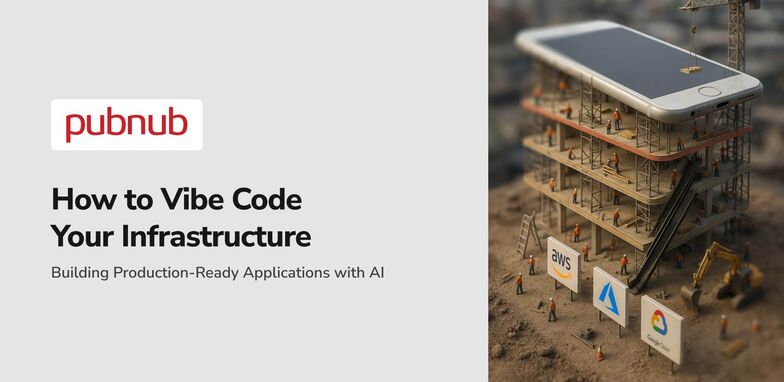
Everyone is talking about vibe coding and AI coding tools like GitHub Copilot, which enable the building of applications with AI in minutes using natural language prompts, requiring minimal to no coding knowledge. However, what is the point? These projects, created by both experienced coders and non-developers, often never progress past the prototype stage. This is because these prototyped projects are missing an essential element. The primary reason projects can be launched is that we, as developers, have established the necessary infrastructure to support these projects and have thoroughly tested it through proper workflows and debugging cycles.
The problem with Cursor, Claude Code, or any vibe coding IDE/terminal relates to the AI's limitations. The context window is only so big, so unless you're creating a simple website at one point, the developer will have to get their hands dirty and test/code what is required to launch the project. AI generates code quickly, but understanding the complete codebase, dependencies, and real-world use cases requires human intervention. However, what if we could change this? The goal here is to develop a production-ready application with no prior coding knowledge and actually launch it in a production environment using AI-powered automation. If you agree, you can skip the explanation in "Vibe Coding your Infrastructure".
Vibe Coding Infrastructure
Infrastructure has generally been set up using AWS, Azure, or Google Cloud, the three major cloud providers. However, even if you use infrastructure as code (IaC) tools like the AWS CDK or Terraform to manage your config and lifecycle, the infrastructure required to scale these applications, along with the associated complexity and costs, will increase drastically. Platform engineering has become crucial for managing these complex development environments.
Side point: When coding infrastructure, your AI has no real idea of cost management. The core goal of these AI systems, including LLMs from OpenAI, Microsoft, and Google Cloud's Gemini, is to accomplish tasks quickly and efficiently, often at the expense of accuracy, to make the user happy. However, as your systems become increasingly complex—spanning multiple endpoints, pipelines, and frameworks—this becomes a problem. Even Andrej Karpathy has discussed the challenges of AI-assisted development at scale.
Your AI can generate beautiful front-ends using templates and write clean backend functions in Python or other programming languages. The syntax might be perfect, and the code generation impressive. However, when you need to connect real systems' APIs that require authentication and API keys, implement proper IAM policies, or sync real-time data that needs to remain consistent across users, you will encounter a challenge. The harsh reality is that vibe coding and AI tools actually add more development time rather than less when you factor in debugging, integration work, validating functionality, and the "making it actually work in production" part. Simply using VS Code with AI-powered coding tools isn't enough to iterate through complex DevOps challenges.
What if your AI could understand your Infrastructure?
This is precisely what our PubNub MCP (Model Context Protocol) server changes. Instead of your AI fumbling through training data and hallucinating method names, it gets direct access to your real-time infrastructure provider and a core understanding of how to implement it. This open source approach, available on GitHub, allows artificial intelligence to work with actual production systems rather than theoretical implementations.
What does this look like, though? As a developer advocate at PubNub who frequently utilizes the PubNub MCP to create tooling or other examples of production applications, I have compiled a few images of example applications I have developed with the PubNub MCP.

This application took me a weekend to code. The best part is that it can be released to production, supporting up to a million users concurrently using the chat and live stream controls. Every feature in this application is implemented using PubNub, from reactions, chat, video stream syncing/controls/presence indication, awards, live commentary, and more. So how did we do this, and how did we get here?
The MCP Setup (1 minute)
Open Cursor (or VS Code with compatible extensions).
Click "Settings" (Top Right).
Click "Tools & MCP".
Click "New MCP Server".
Insert the following JSON config:
{
  "mcpServers": {
    "pubnub": {
      "command": "npx",
      "args": ["-y", "@pubnub/mcp"],
      "env": {
        "PUBNUB_SUBSCRIBE_KEY": "PUBNUB_SUBSCRIBE_KEY",
        "PUBNUB_PUBLISH_KEY": "PUBNUB_PUBLISH_KEY"
      }
    }
  }
}
The reason for the publish and subscribe key (your API keys) is that the PubNub MCP can actually use PubNub as a real-time platform. This becomes very useful when testing the PubNub functionality that has been implemented through AI-assisted workflows. However, to do that, you will need to put your publish and subscribe key into the config.
AND WE ARE DONE! Now, let's dive into all the features of this AI-powered MCP server.
Features of the MCP Server
The first two features rely on pulling information from the PubNub docs, but don't worry, that is not the half of what you can do with this open-source MCP server available on GitHub.
Pulling in the PubNub Docs
As said above, the first feature is pulling in the basic PubNub docs in any programming language or SDK. To activate this feature, try the following prompt:
"Using the PubNub MCP, write me a chat application that can send and receive messages using the JavaScript SDK"
You can use any SDK that makes sense for your application—Python, JavaScript, or any other supported framework. This will essentially pull in the PubNub documentation and start implementing up-to-date PubNub logic with proper syntax. If PubNub is not installed as part of your dependencies, it will install it for you through automation.

If everything is installed correctly, you should see a PubNub MCP requesting your permission to run it, unless you are running in Claude and have enabled the "-dangerously-skip-permissions" option. You should see the command "read_pubnub_sdk_docs".
Pulling in the PubNub ChatSDK Docs
The second feature involves pulling in our PubNub Chat SDK docs. If you are not aware, these are essentially documentation for everything chat-related in PubNub, ranging from basic messaging and presence to advanced capabilities such as message reactions, typing indicators, unread message counts, and user mentions. By pulling these docs into the MCP, Claude or Cursor can reference the complete ChatSDK API, help you implement chat features correctly using AI tools, and provide code examples that follow PubNub best practices for software development.
To activate this feature, try the following prompt below:
"Show me the ChatSDK docs for threaded messaging in Kotlin"

You should see PubNub MCP commands that state "read_pubnub_chat_sdk_docs".
Using PubNub, not just pulling in Docs
The MCP can actually utilize PubNub's real-time functionality through its API, not just discuss it. For example, publishing messages with real publish operations that will hit your PubNub application endpoints. To try this out, I have left a sample prompt below:
"Publish a message to the Lobby channel saying Hello World using the PubNub MCP"

If you navigate to the PubNub Debug Console, select your keyset and proceed to subscribe to the channel to which you are publishing the message. You will then see the message appear with proper authentication.
Plan two, the MCP can actually also subscribe to channels as well, so just put in the opposite prompt in another cursor window, something like:
"Subscribe to the channel Lobby using the PubNub MCP"
And that message you just sent will be received through the backend infrastructure.
Writing a Full Deployable Application
There are also higher-level features for this AI-powered platform, such as the write PubNub app tool, which will develop complete app scaffolding using PubNub. All you do is describe a use case in natural language—like multiplayer lobby, grocery delivery for a startup, chat application for DevOps teams, or Kubernetes monitoring—and the AI will create step-by-step instructions plus initialization code with proper templates for all your PubNub features you will need for that use case. This demonstrates actual AI-assisted software development that can validate and iterate on complex workflows.
To activate this feature, try the following prompt below:
"Help me build a PubNub application for on-demand grocery delivery"

You should see a command such as "write_pubnub_app" when this feature is activated.
Get Started with PubNub
If you haven't already, sign up for a free PubNub account here. Once you have signed up, you will receive your publish and subscribe keys (API keys), which are required to use the PubNub API as your real-time infrastructure provider, as well as the PubNub MCP, depending on the feature you are using.
Set up the PubNub MCP in Claude or Cursor → PubNub MCP server guide
Paste the following prompts mentioned above to try out our MCP using natural language
Check out our PubNub MCP GitHub Repository to explore this open source project and contribute to AI coding automation
By combining the power of artificial intelligence with production-ready infrastructure, PubNub's MCP server bridges the gap between vibe coding prototypes and deployable applications. Whether you're working with pipelines, managing IAM policies, or building complex real-time systems, this AI-powered approach streamlines the entire lifecycle from development environments to production deployment.
