Introducing DataSync: The real-time data store for application state

DataSync in 30 seconds
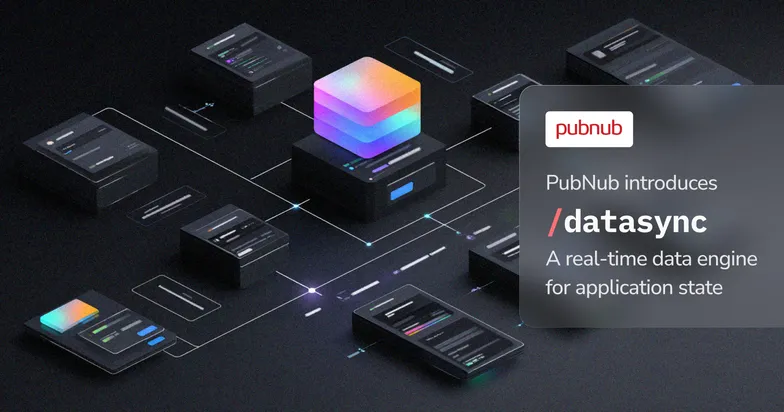
💾 WHAT: DataSync is PubNub’s real-time data store for application state.
🔐 WHY: It combines persistence, schema validation, field-level authorization, querying, and real-time synchronization in one workflow.
🛠️ HOW: Define and manage entities in DataSync Admin, write and query data through REST or SDK and subscribe to authorized updates using PubNub SDKs.
📅 WHEN: DataSync is LIVE NOW
Explore the Documentation
Existing App Context customers will receive access through a phased rollout later this year.
Store application state
DataSync is designed for records that applications need to persist, query, authorize, and keep synchronized in real time.
Typical examples include:
- Orders, deliveries, and locations
- Devices and physical assets
- Tasks, workflows, and documents
- Products, carts, and inventory
- Game entities, scores, and player state
- Users, teams, memberships, and other relationships
A backend service writes an entity through the DataSync REST API. DataSync validates and stores the record, applies the configured access rules, and publishes the authorized update to subscribed clients.
For example, when a delivery status changes, one backend update can persist the new status, expose the correct fields to the customer and driver, and deliver the change to their connected applications.
Define entities and schemas
DataSync lets developers create typed entity classes and relationship classes instead of storing all application data as unstructured metadata.
An entity class defines:
- The fields an entity can contain
- Field types and validation rules
- Queryable properties
- Relationships to other entities
- Available projections and access rules
Developers can query records using filters, sorting, and pagination. DataSync also supports partial updates with JSON Patch, so a service can update a specific field without replacing the entire record.
ETags provide optimistic concurrency control. A write can include the latest ETag, allowing DataSync to reject updates based on an outdated version of the record.

Write and query data through developer APIs
DataSync provides data APIs for backend services and applications:
| Component | Use |
| DataSync Admin API | Create and manage entity classes, relationship classes, schemas, and configuration |
| Data APIs | Create, read, update, delete, and query records through REST, JavaScript, and C# SDk |
| DataSync Admin | Browse, create, filter, search, export, and troubleshoot records through the PubNub Admin Portal |
Control field-level access
Applications often need to expose different fields from the same record.
For example:
- A customer can see an order status and estimated delivery time.
- A driver can also see the delivery address and route information.
- An operations user can see pricing, exception details, and support notes.
DataSync uses projections to define named field views for an entity class. Access Manager grants determine which clients can use each projection. The stored record can contain all required fields while each client receives only the fields allowed by its permissions.
Subscribe to real-time updates
Client applications subscribe to DataSync changes through PubNub SDKs. When an authorized record changes, subscribed web, mobile, or IoT clients receive the relevant update through the PubNub network.
DataSync works alongside PubNub presence, signals, chat, push, and Functions. Teams can use the same PubNub keysets, access controls, and SDK ecosystem for their real-time messaging and synchronized application state.
Use DataSync with your database
DataSync does not need to replace a customer’s entire database architecture.
Teams can continue using existing systems for workloads such as accounting, analytics, reporting, and complex back-office processing. DataSync can store the subset of application state that must be queried by clients and delivered as it changes.
This allows teams to adopt DataSync for one use case without redesigning their full data platform or building a separate synchronization service around their database.
Manage data in DataSync Admin
DataSync Admin is available in the PubNub Admin Portal. It gives developers and operators a way to inspect and manage application state without building a separate internal tool.
From DataSync Admin, teams can:
- Browse standard entities such as Users and Channels
- Inspect custom entities and relationships
- Create records using JSON payloads
- Search and filter records
- Choose which fields appear in the table
- Export records
- Refresh and inspect the latest state
DataSync Admin is useful for configuring a data model, testing integrations, troubleshooting records, and inspecting application state during development and operation.

Get started with DataSync
DataSync is the evolution of PubNub App Context, which provides metadata for users, channels, and memberships.
It adds:
- Typed entity classes
- Relationship classes
- Schema validation
- Queryable properties
- Partial updates
- Optimistic concurrency with ETags
- Field-level authorization through projections
- Real-time delivery to authorized clients
Existing App Context customers can continue using their current implementation while access to DataSync is introduced in phases. PubNub will provide account-specific access and migration guidance as each customer becomes eligible.
Available today
DataSync is available today through the DataSync Admin API, Data APIs, DataSync Admin, and PubNub SDKs.
Developers can define entity and relationship classes, write and query records, configure field-level access rules, manage data through the Admin Portal, and subscribe clients to authorized changes.
Explore the documentation