Documentation Release Notes - April 2026
April brought major Chat SDK releases across all platforms, a new JavaScript SDK version, and the PubNub Gaming SDK landing on FAB.
The Swift Chat SDK 1.0.0, Kotlin Chat SDK 1.0.0, Unity Chat SDK 2.0.0, and Unreal Chat SDK 1.0.0 all reached major versions this month, each with comprehensive documentation rewrites and new migration guides. If your application uses any of these Chat SDKs, review the corresponding migration guide before upgrading — all four releases include breaking API changes.
On the core SDK side, JavaScript SDK 11.0.0 makes enableEventEngine and restore default to true, which are behavioral breaking changes for applications that have not set these options explicitly. We also added React code snippets across the JavaScript SDK documentation.
In the Unreal ecosystem, we published documentation for the PubNub Gaming SDK on FAB — a free plugin bundle now available on Epic Games' unified digital asset marketplace.
SDKs 📦
JavaScript SDK 11.0.0
Type: Enhancement
We updated the JavaScript SDK documentation for version 11.0.0 and published a JavaScript SDK 11.0.0 migration guide.
The 11.0.0 release changes the default values of enableEventEngine and restore, and removes the enforced upper bounds on maximumRetry and maximumDelay in retry policies. These are behavioral breaking changes for applications that omit these options from their configuration. Applications that set them explicitly are unaffected.
| Feature | JavaScript SDK 10.x.x | JavaScript SDK 11.0.0 |
|---|---|---|
enableEventEngine default | false | true |
restore default | false | true |
maximumRetry upper-bound validation | Enforced | Not enforced |
maximumDelay upper-bound validation | Enforced | Not enforced |
enableEventEngine now defaults to true: All new PubNub client instances use the new subscription workflow unless you explicitly set enableEventEngine: false. When enabled, maintainPresenceState is automatically on, and autoNetworkDetection is ignored. If your application inspects PNConnectedCategory to detect subscription list changes, update your listener to handle PNSubscriptionChangedCategory instead — see Migrating to the new subscription loop.
restore now defaults to true: On network loss, the SDK moves into the disconnected state without sending leave events, preserving the current timetoken and active channel list so the SDK can catch up on missed messages when connectivity is restored. To restore the pre-v11.0.0 behavior (timetoken and channel list reset on network loss), set restore: false.
See the JavaScript SDK 11.0.0 migration guide for full details and migration steps.
App Context (Objects) API reference improvements
Type: Enhancement
We corrected and expanded the JavaScript SDK Objects API reference and the Functions PubNub module reference.
In the Objects API reference, the main changes are:
- Added the missing
typeFieldparameter togetMembershipsandgetChannelMembers. This parameter controls whether the membership's owntypefield is returned, and was previously undocumented. - Clarified the distinction between membership-level fields (
statusField,typeField) and the nested entity fields (channelStatusField,channelTypeField,UUIDStatusField,UUIDTypeField). The descriptions now explain whichinclude=query parameter each maps to and that the two sets are independent. - Added
statusFieldandtypeFieldto theremoveChannelMembersincludeobject, which previously listed onlyUUIDFieldsandcustomUUIDFields.
In the Admin API reference, we clarified the entityId parameter description to explain which value to supply for each entity type (account and app use a numeric ID; keyset uses the subscribe key). We also corrected filters, orderBy, and limit from required: true to required: false.
React code snippets
Type: Enhancement
We added React code snippets to the JavaScript SDK documentation. The examples use useRef to hold a stable PubNub instance across re-renders and useEffect for initialization and cleanup, following React best practices for managing external subscriptions.
React snippets were added to the following API reference pages:
- Configuration — initializing PubNub inside a
useEffectwith cleanup on unmount - Presence — subscribing to presence events and cleaning up on unmount
- Publish and subscribe — creating subscriptions inside
useEffectwith unsubscribe cleanup - Storage and playback — fetching message history from within a React component
PubNub Gaming SDK on FAB
Type: New feature
We added documentation for the PubNub Gaming SDK — a free plugin bundle now available on FAB, Epic Games' unified digital asset marketplace that combines the Unreal Engine Marketplace, Sketchfab, and Quixel.
The PubNub Gaming SDK bundles two modules into a single plugin for Unreal Engine developers:
| Module | What it does |
|---|---|
PubNub SDK (PubnubSDK) | Core real-time messaging: publish/subscribe, presence, access control, app context, message persistence, and more. |
PubNub Chat SDK (PubnubChatSDK) | Higher-level chat features: typing indicators, read receipts, threads, mentions, moderation, and more. |
Both modules are also available individually as plugins on GitHub if you prefer to install from source.
Swift Chat SDK 1.0.0
Type: Enhancement
We published a Swift Chat SDK 1.0.0 migration guide and updated the Swift Chat SDK documentation throughout to cover the 1.0.0 API.
The 1.0.0 release introduces a set of breaking API changes. The core change is the shift from generic streaming methods to entity-owned callbacks:
- Entity-first callbacks: Instead of calling
chat.listenForEvents()orchannel.connect(), you now attach closures directly to entity objects —channel.onMessageReceived,user.onMentioned, and so on. Each entity also exposes a.streamproperty withAsyncStream-based equivalents (channel.stream.messages(), and others). join()signature change:join()now returnsMembershipdirectly instead of a(membership:, messagesStream:)tuple. CallonMessageReceived()or usechannel.stream.messages()separately to start message delivery. Two new optional parameters,statusandtype, are also added.- Typed event payloads:
onMentioned()deliversMention,onInvited()deliversInvite,onRestrictionChanged()deliversRestriction, andonReadReceiptReceived()deliversReadReceipt. Message.reactionstype change: Changed from[String: [Action]]to[MessageReaction], which exposesvalue,count,isMine, anduserIds.- Soft delete removed: The
soft:parameter is removed fromChannel.delete()andUser.delete(). Both methods now always perform a hard delete. sendText()simplified: A newsendText(text:params:)overload consolidates the previous multi-parameter signature into aSendTextParamsstruct. The old overload is deprecated.- New
Membership.delete(): Memberships can now be deleted directly from theMembershipobject.
See the Swift Chat SDK 1.0.0 migration guide for the full list of changes and migration steps.
Kotlin Chat SDK 1.0.0
Type: Enhancement
We published a Kotlin Chat SDK 1.0.0 migration guide and updated the Kotlin Chat SDK documentation throughout to cover the 1.0.0 API.
The 1.0.0 release introduces a set of breaking API changes, closely mirroring the Swift Chat SDK 1.0.0 changes:
- Entity-first callbacks: Streaming methods move from
chat.listenForEvents()andchannel.connect()callbacks to entity-owned methods —channel.onMessageReceived(),user.onMentioned(), and so on. The old methods are deprecated but still compile. join()signature change: The callback parameter is removed.join()no longer subscribes to messages automatically — callonMessageReceived()separately after joining to start message delivery.join()now returnsPNFuture<Membership>instead ofPNFuture<JoinResult>.- Typed event payloads:
onMentioned()deliversMention,onInvited()deliversInvite,onRestrictionChanged()deliversRestriction, andonReadReceiptReceived()deliversReadReceipt. Message.reactionstype change: Changed fromMap<String, List<Action>>toList<MessageReaction>, which exposesvalue,count,isMine, anduserIds.- New membership methods:
channel.hasMember(),channel.getMember(),user.isMemberOf(), anduser.getMembership()let you check or retrieve a specific membership without fetching the full list. - New read receipt capabilities:
channel.fetchReadReceipts()returns a paginated snapshot of read positions. A newemitReadReceiptEventsconfiguration option controls which channel types emit read receipt signals. sendText()simplified: A newsendText(text, params: SendTextParams)overload consolidates the previous multi-parameter signature. The old overload is deprecated.GetCurrentUserMentionsResultupdated: A newmentionsfield returns a unifiedUserMentiontype withmessage,userId,channelId, and optionalparentChannelId. The previousenhancedMentionsDatafield is deprecated but still available.
See the Kotlin Chat SDK 1.0.0 migration guide for the full list of changes and migration steps.
Unity Chat SDK 2.0.0
Type: Enhancement
We updated the Unity Chat SDK documentation and published a Unity Chat SDK 2.0.0 migration guide.
The 2.0.0 release introduces several breaking API changes:
JoinChannelandConnectreplaceJoin: Joining a channel no longer starts message delivery automatically. CallJoinChannel()to create the membership andConnect()separately to start receiving messages. The reverse usesLeaveChannel()andDisconnect()instead ofLeave().- Renamed events: Events on
Channel,User,Membership, andMessageobjects were renamed to shorter, entity-agnostic names. For example,OnChannelUpdateis nowOnUpdated, and deletion events are now a separateOnDeletedcallback. TheChatEntityChangeTypeparameter was removed from allStreamUpdatesOncallbacks. - Typed event payloads: Events now deliver purpose-built types —
OnMessageReporteddeliversMessageReport,OnMentioneddeliversMention,OnInviteddeliversInvite, andOnRestrictionChangeddeliversChannelRestriction. - New read receipt format:
OnReadReceiptEventnow fires once per individual user receipt rather than aggregating all memberships into a dictionary. A newReadReceiptstruct carriesUserIdandLastReadTimeToken.Channel.GetReadReceipts()provides the full snapshot. - New message reaction format: A new
MessageReactions()method returns reactions grouped by value with aCountand anIsMineflag, replacing the need to iterate rawMessageActionlists. SendTextParamssimplified:MentionedUsers,QuotedMessage, andFileswere removed fromSendTextParamsand must now be set throughMessageDraft.
See the Unity Chat SDK 2.0.0 migration guide for the full list of changes and migration steps.
Unreal Chat SDK 1.0.0
Type: Enhancement
We comprehensively updated the Unreal Chat SDK documentation and published an Unreal Chat SDK 1.0.0 migration guide.
The 1.0.0 release rebuilds the SDK on top of the PubNub Unreal Engine Core SDK and removes the dependency on the bundled C++ Chat SDK (cpp-chat.dll). The API surface is fully rearchitected:
- New required dependency: Unreal Chat SDK 1.0.0 requires the PubNub Unreal Engine SDK (
PubnubLibrary) to be installed alongside the Chat SDK. The two plugins must be present together. - Result structs: Every method now returns a typed result struct wrapping
FPubnubChatOperationResult(withErrorandErrorMessagefields) alongside the domain data. No more raw pointer returns or silentnullptron failure. - Sync/async split: Every network method is available in both a synchronous blocking variant and an
Asyncvariant that takes a delegate callback. Native callback types (with theNativesuffix) also accept lambdas. - Entity-first delegates: Real-time listeners use multicast delegate properties on entity objects. Bind delegates before calling the streaming method and stop with an explicit
StopStreaming*()call. - Multiple chat instances: The subsystem now supports multiple simultaneous chat sessions keyed by
UserID. UseGetChat(UserID)to retrieve a specific instance andDestroyChat(UserID)to destroy one. - Synchronized entity objects: Entity objects (channels, users, memberships, messages) are now synchronized by ID. All references to the same entity ID share the latest locally known data — updating one updates all.
JoinandConnectare separate: As with the other Chat SDK platforms this month,Join()creates the membership server-side but does not subscribe. CallConnect()separately to start receiving messages.
The documentation update covers the full Unreal Chat SDK surface area, including configuration, channels, messages, users, custom events, and connection management. Code examples have been updated throughout for both Blueprint and C++.
See the Unreal Chat SDK 1.0.0 migration guide for the full list of changes and migration steps.
JavaScript Chat SDK improvements
Type: Enhancement
We updated the JavaScript Chat SDK documentation across configuration, channels, messages, and users pages. The update includes revised code examples and updated parameter descriptions for channels, typing indicators, custom events, message drafts, and membership. The legacy message drafts page (drafts_v1.md) has been removed in favor of the current drafts API.
Sample Chat UI for Unity and Unreal
Type: New feature
We added sample chat UI documentation for both the Unity Chat SDK and Unreal Chat SDK.
Both SDKs ship with a ready-made chat UI that you can drop into a project without writing any UI code:
- Unity: A
UIChatPrefabunderAssets/PubnubChat/Samples~/UIChatPrefab/in the Unity Chat SDK repository. The prefab includes a controller, a chat UI component, and a message row component. - Unreal: A set of UMG widgets under
Content/SampleChat/in the Unreal Chat SDK plugin, covering the full chat layout — a top-level chat screen (W_PubnubChat_Sample), a channel inbox (W_PubnubChat_ChannelInbox), and an individual message row (W_PubnubChat_Message).
Both are intended as starter samples to copy into your project and customize. The documentation covers what is included, how to configure and connect the UI, and guidance on customization.
Events & Actions ⚡
dataSchema field rename in webhook payloads
Type: Update
We updated the Events & Actions events documentation to rename the schema field to dataSchema in all webhook payload examples. This aligns the documentation with the actual field name returned in webhook payloads.
If you wrote integration code or validation logic based on the previous schema field name in the documentation, update your references to dataSchema.
We also clarified that the payload structure depends on the envelope option selected — there is one no-envelope format and several enveloped versions. The events page now shows the no-envelope payload (the default) and links to the full Events & Actions Payloads reference for all variants.
Other 🌟
Custom 404 page
Type: Enhancement
We replaced the previous redirect-only 404 handler with a custom page that actively suggests related content when a URL can't be found.
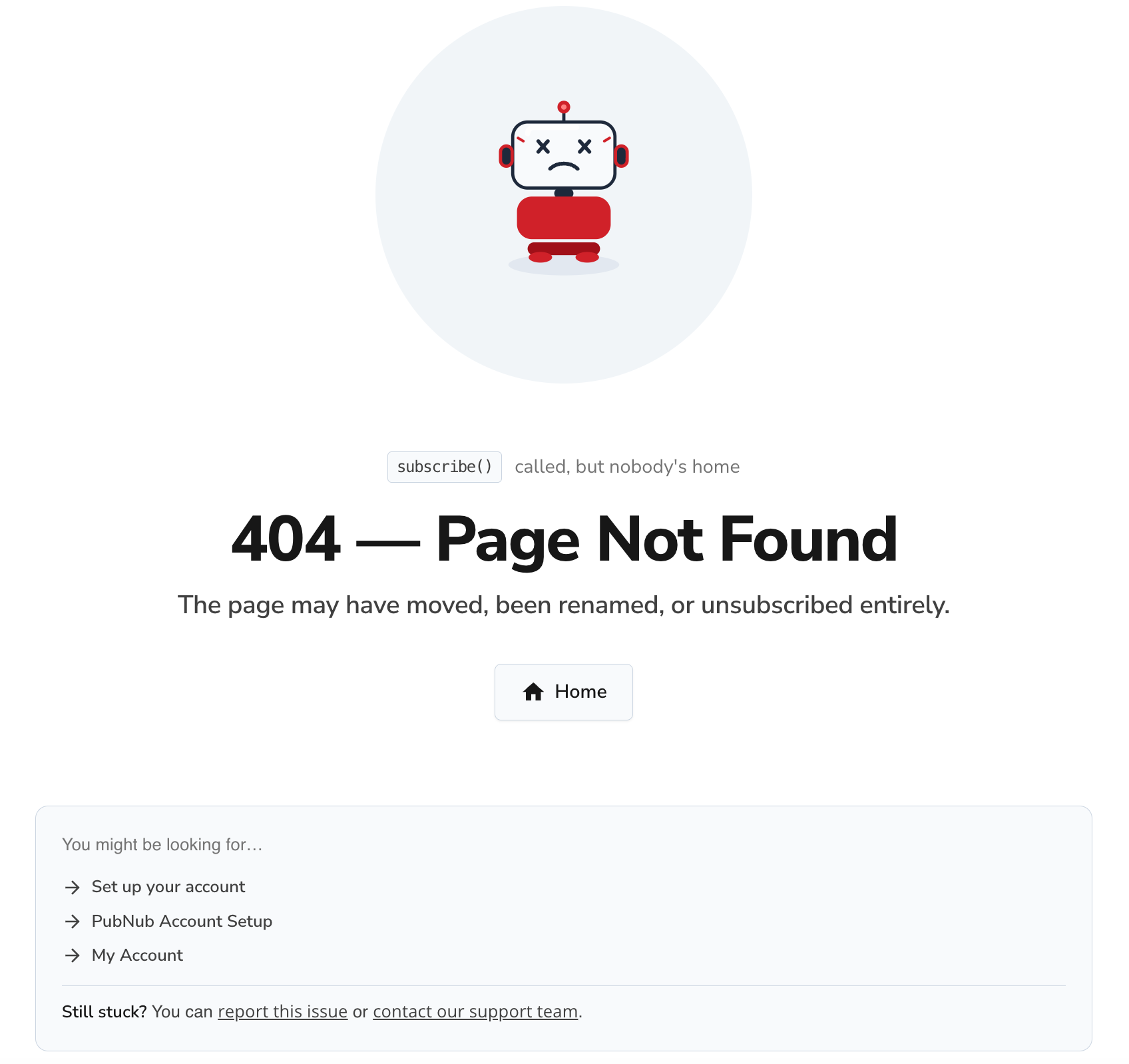
The page uses a fuzzy-matching algorithm to compare the broken URL against all known documentation pages. It scores candidates by combining slug similarity (edit distance) with keyword matching — including semantic supplements for common topics that can't be inferred from URL slugs alone (for example, a search for a presence-related path also considers keywords like heartbeat, occupancy, and online). SDK pages carry additional SDK-name metadata so that a broken Unreal URL surfaces Unreal-specific results.
Dark mode support across the site was also improved as part of this work.
API explorer improvements
Type: Enhancement
We made two improvements to the interactive API explorer on the documentation site.
Multi-select for array parameters: Parameters that accept multiple values — such as filter options or enum arrays — now display a custom checkbox list rather than a free-text field. This reduces input errors when testing endpoints directly from the documentation.
Smarter form validation: Required-field validation errors are now only shown after the user has interacted with the field or clicked Send. Previously, required-field errors could appear immediately on page load before the user had a chance to fill in the form.