
Export Functions logs
Functions publish log output to an internal PubNub channel. To keep that output after the console session ends, use Events & Actions to forward it to a Webhook endpoint or an S3 bucket.
Before you start
Before starting, confirm you have:
- A deployed Function. If you do not have one, see Create a Function.
- The log channel name for your Function revision. It follows the pattern
output-rev-{{functionRevisionId}}-key-{{keysetId}}, for exampleoutput-rev-NSPiAuYKsWSxJl4yBn30-key-abc123. Find the exact name in the Console output.
A Function replica publishes up to 250 console log lines over its lifetime, not per execution, and output stops silently once a replica reaches that budget.
Configure the event listener
-
In the Admin Portal, open Events & Actions and configure an event listener on the log channel.
-
Enter the
output-rev-*channel name from the Console output in the Condition value field.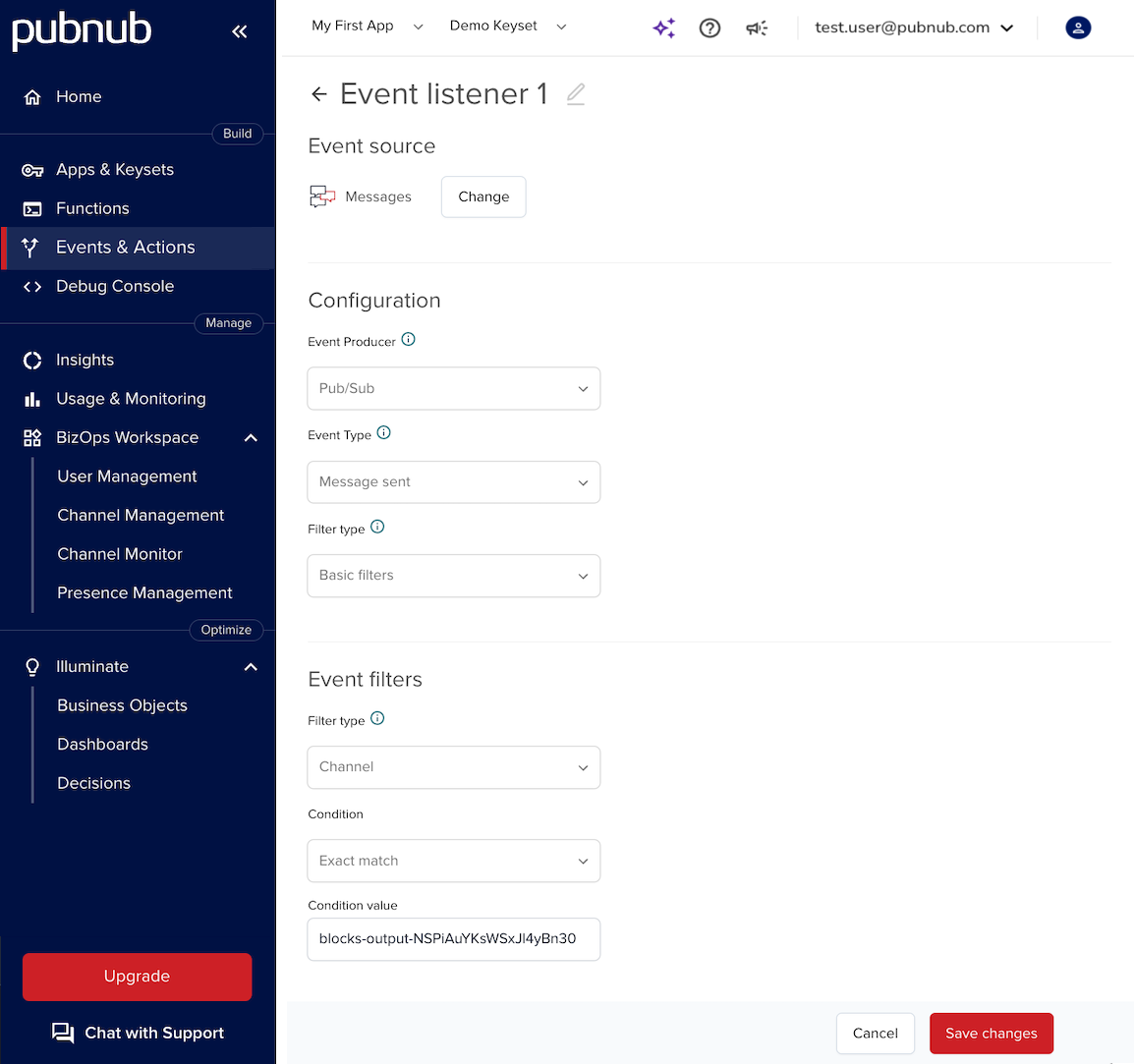
Create the export action
- Create a Webhook or S3 action.
- Attach the event listener you created in the previous section to the action.
- To send multiple log events in one request, enable batching on the action.
Events & Actions now forwards log output to your destination each time the Function publishes to the log channel.