Audit Log
The Audit Log in Admin Portal tracks actions performed across your PubNub organization and gives you visibility into who did what and when. Use it to monitor changes to apps, keysets, user roles, Service Integrations, and account settings.
The Audit Log helps you:
- Identify who made a change and when it happened
- Track actions performed through the Admin Portal UI, the Admin API, or MCP OAuth integrations
- Support compliance and enterprise auditing requirements
- Investigate unexpected configuration changes
Availability
Audit Log is available on Starter and Contract plans only.
View the Audit Log
To access the Audit Log:
-
Log in to the Admin Portal.
-
Click your email in the top-right corner to open the account menu.
-
Select Organization settings.
-
Click Audit Log.
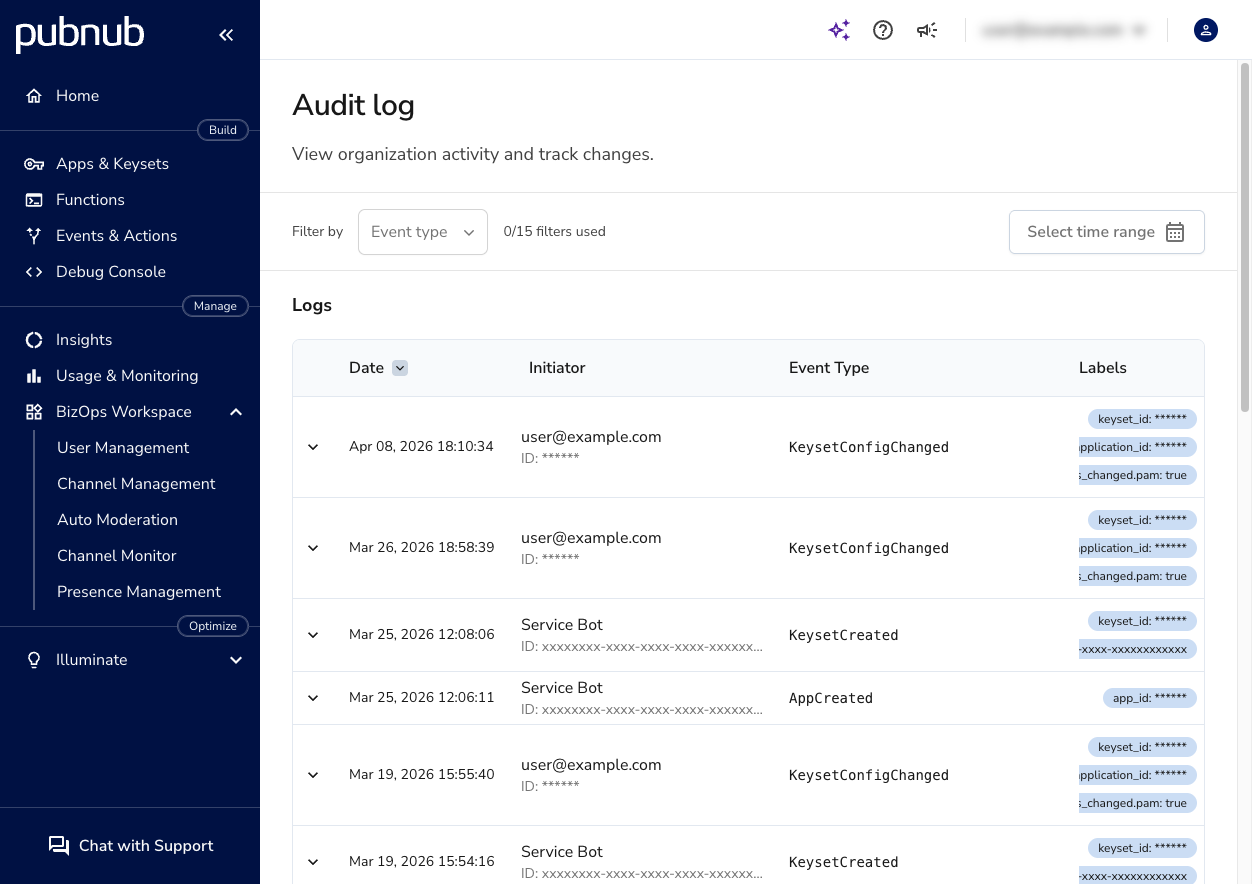
The Audit Log page shows a table of events sorted by date, from most recent to oldest. Each row includes the date, the initiator, the event type, and any relevant labels.
Log entry details
Each row in the log includes:
| Column | Description |
|---|---|
| Date | Timestamp of the event. Click the column header to change the sort order. |
| Initiator | The user or Service Integration that performed the action. For portal users, this shows the email address and user ID. For Service Integrations, this shows the integration name and ID. |
| Event Type | The specific action that occurred, for example KeysetConfigChanged or UserRoleAdded. |
| Labels | Contextual tags that identify the affected resources, such as keyset ID or application ID. |
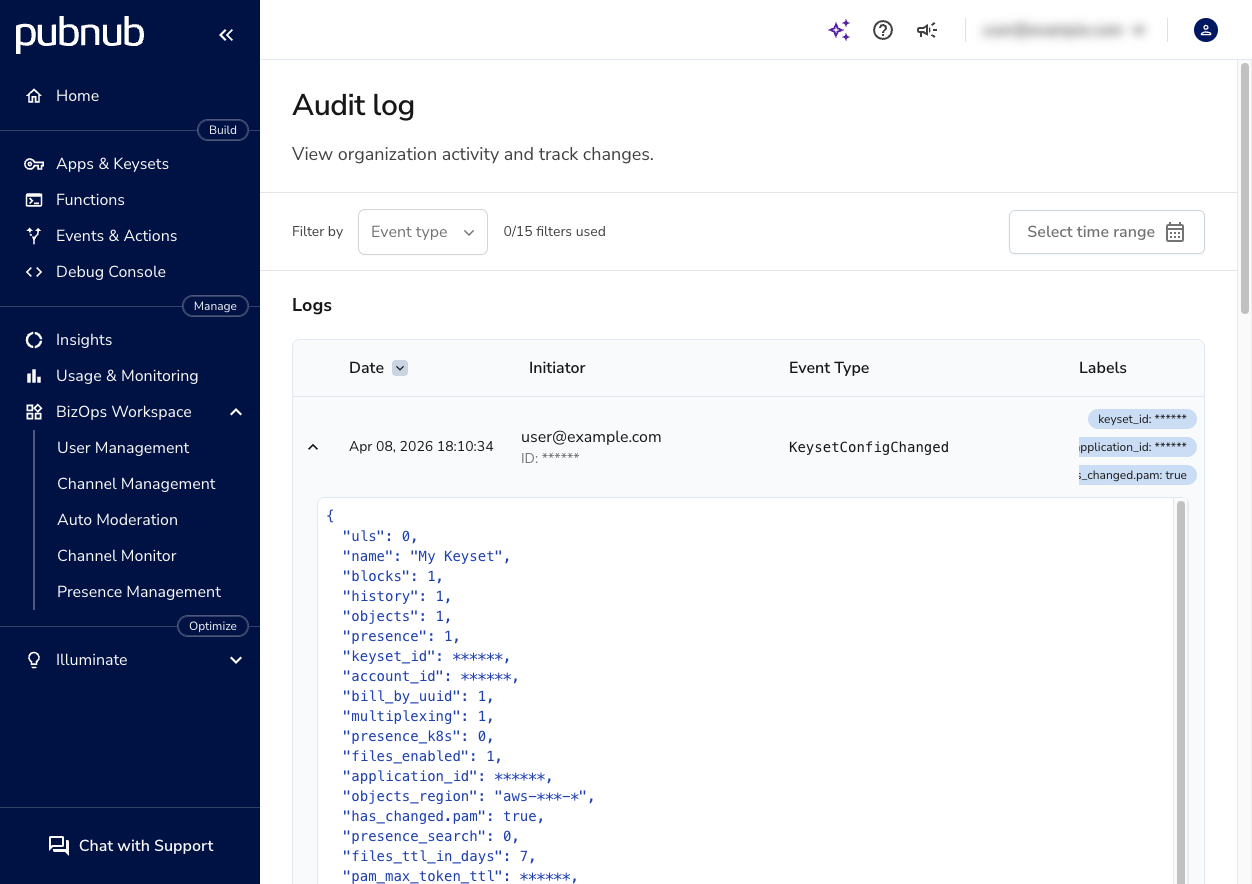
Click a row to expand it and view the full event payload. The payload is a JSON object that contains the complete details of the change.
Filter events
Use the filter controls above the log table to narrow down results.
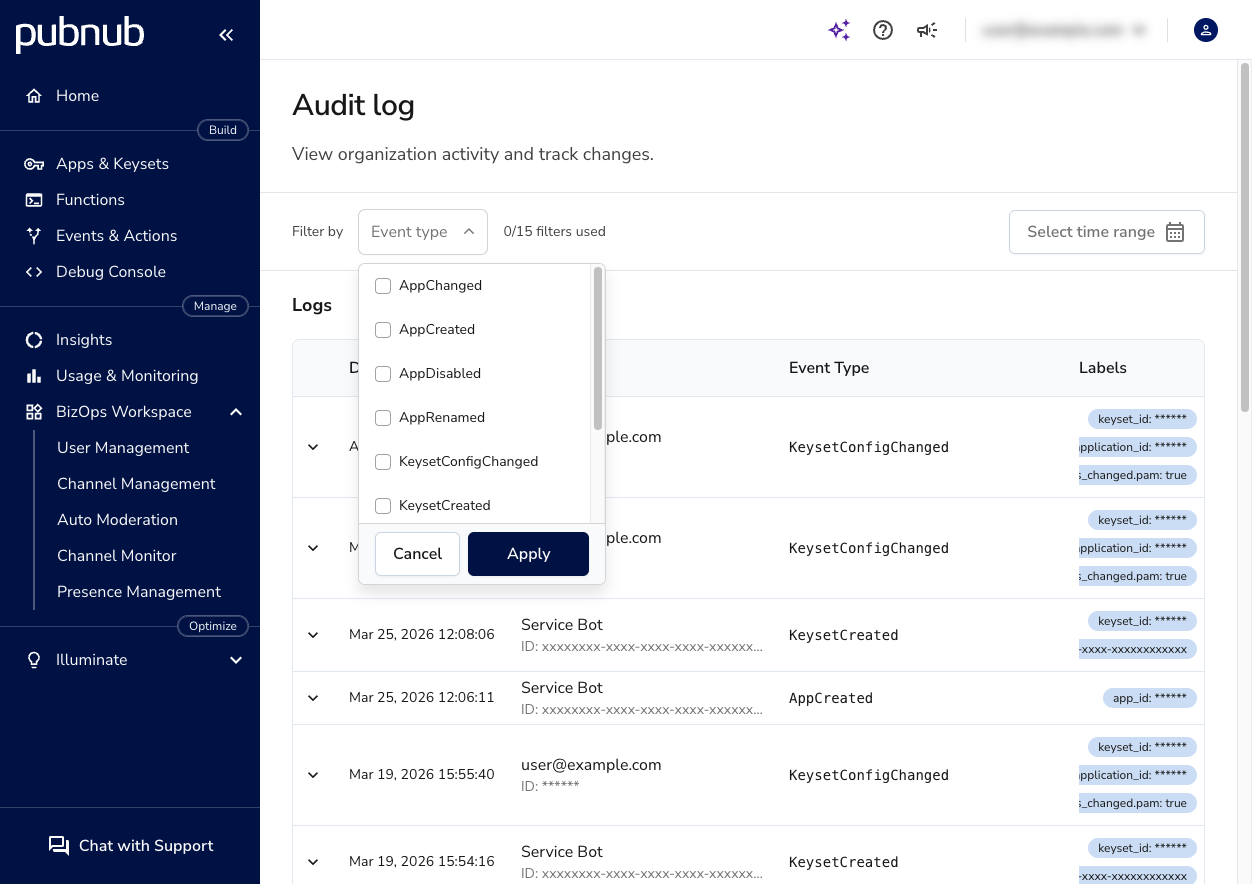
Filter by event type
-
Click the Event type dropdown.
-
Select one or more event types from the list.
-
Click Apply.
The counter next to the dropdown (for example, "2/15 filters used") shows how many filters are active.
Filter by time range
-
Click Select time range.
-
Choose a start and end date.
The log updates to show only events within the selected period.
To clear filters, open the Event type dropdown and deselect all options, or remove the time range.
Event types
The Audit Log captures events across several categories. The table below lists all available event types, what they represent, and whether they can be triggered through the Admin Portal UI, the Admin API, or both.
User activity
| Event type | Description | Portal UI | Admin API |
|---|---|---|---|
UserRoleAdded | A role was assigned to a user. | Yes | N/A |
UserRoleRevoked | A role was removed from a user. | Yes | N/A |
UserAccountAccessGranted | A user was granted access to the account. | Yes | N/A |
UserAccountAccessRevoked | A user's access to the account was revoked. | Yes | N/A |
UserAcceptedInvitation | A user accepted an invitation to join the account. | Yes | N/A |
App management
| Event type | Description | Portal UI | Admin API |
|---|---|---|---|
AppCreated | A new app was created. | No | Yes |
AppRenamed | An app was renamed. | No | Yes |
AppDisabled | An app was disabled. | No | Yes |
AppChanged | An app attribute was changed (catch-all for changes not covered by other app events). | No | Yes |
Keyset management
| Event type | Description | Portal UI | Admin API |
|---|---|---|---|
KeysetCreated | A new keyset was created. | No | Yes |
KeysetRenamed | A keyset was renamed. | No | Yes |
KeysetDisabled | A keyset was disabled. | No | Yes |
KeysetEnabled | A keyset was enabled. | No | Yes |
KeysetTypeChanged | A keyset type was changed between testing and production. | Yes | Yes |
KeysetConfigChanged | A keyset configuration was updated (for example, enabling Access Manager or changing persistence settings). | Yes | Yes |
Secret key
| Event type | Description | Portal UI | Admin API |
|---|---|---|---|
SecretKeyRotated | A keyset's secret key was rotated. Secret key values are redacted in the payload. | No | Yes |
Service Integrations
| Event type | Description | Portal UI | Admin API |
|---|---|---|---|
ServiceIntegrationCreated | A new Service Integration was created. | Yes | N/A |
ServiceIntegrationUpdated | A Service Integration was updated. | Yes | N/A |
ServiceIntegrationDeleted | A Service Integration was deleted. | Yes | N/A |
ApiKeyCreated | An API key was created for a Service Integration. | Yes | N/A |
ApiKeyRevoked | An API key for a Service Integration was revoked. | Yes | N/A |
Partner (OEM)
| Event type | Description | Portal UI | Admin API |
|---|---|---|---|
OemCustomerCreated | A partner customer was created. | No | Yes |
OemCustomerUpdated | A partner customer was updated. | No | Yes |
OemCustomerKeysetsAssigned | Keysets were assigned to a partner customer. | No | Yes |
Account settings
| Event type | Description | Portal UI | Admin API |
|---|---|---|---|
AccountAuthSettingsUpdated | Account authentication settings were changed (for example, MCP access). | Yes | N/A |
VersionPinned | A server version was pinned. | Yes | N/A |